
When a company first enters a new market, localizing the user interface is a fairly straightforward task. There is an English version of the product; there are a few thousand text strings that need to be translated, and that is all there is to it. In reality, it is precisely this perception that most often leads to problems.
In a software product, text rarely exists in isolation. It is linked to keys, resources, screens, variables, placeholders, system messages, user scenarios and specific interface logic. Therefore, localization is not simply a matter of translating text into another language. It involves working with a part of the product which, after translation, must continue to function technically, remain understandable to the user, and not create additional problems for the development team.
This is precisely where the line is drawn between ordinary translation and professional software localization.
For the development team, it is not important how neat the translation table looks. What they need is a result that can be fed back into the usual pipeline, tested, and used in a release. If, before every update, they have to extract text manually, copy it into Excel, and then put it back together, localization quickly becomes a separate source of technical debt.
That’s why a good process starts with a different question: how to integrate the translation into the product’s existing workflow, rather than forcing the team to adapt to the translator.
Localizing an IT product involves working with language within the system.
From the user’s perspective, the interface consists of words. They see a ‘Save’ button, a pricing plan name, an error message, an onboarding prompt or a notification that a trial period has ended. From a developer’s perspective, these are no longer just words, but elements created from localization resources that have a clearly defined place within the system.
For example:
‘welcome_message’: ‘Hello, {name}!’The user needs a natural translation of the phrase. The system needs the unchanging key `welcome_message` and the correct variable `{name}`. If a translator accidentally changes the key or corrupts the placeholder, the problem will extend far beyond linguistics. At best, strange text will appear in the interface. At worst, the string won’t load at all.
But technical correctness is only half the battle.
Let’s imagine there is a word in the file:
Charge
Out of context, it could mean ‘debit’, ‘charge’, ‘fee’, ‘charge’ or even ‘accusation’. In a financial app, a CRM or a charging station system, the correct interpretation will vary.
Similarly, ‘Plan’ could mean ‘Plan’, ‘Tariff’ or ‘Subscription’; ‘Home’ could mean ‘Home’ or a specific location; and ‘Order’ could mean ‘Order’, ‘Command’ or ‘Procedure’.
Professional localization therefore operates on several levels simultaneously: it is necessary to preserve the file structure, interpret the content correctly, take the interface context into account, and maintain consistent terminology throughout the product.
This becomes particularly important for large systems. The same term may appear in the UI, email messages, the help center, documentation, the billing module, onboarding, and release notes. If each channel is translated separately, the product’s linguistic consistency begins to break down.
Why the ‘let’s dump everything into Excel’ approach stops working sooner or later
For an MVP or a small internal service, a manual approach is sometimes genuinely sufficient. A developer copies 100–200 lines, adds them to Google Sheets, and a translator fills in the adjacent column. The problem is that this workflow scales very poorly.
The first reason is versioning.
Whilst the spreadsheet is being translated, the product doesn’t stand still. One row has already been deleted, another renamed, a third moved to a new screen, and a fourth has been given a new variable. A week later, the finished translation may no longer correspond to the version in the repository.
Then someone has to manually compare the two realities: what was sent for translation and what is currently in the product.
The second problem is the loss of structure. In a table, it is much easier to mix up rows, accidentally edit a key, delete a placeholder character, or insert a translation in the wrong position. When dealing with tens of thousands of segments, even a very low error rate translates into a significant amount of QA work.
There is also a less obvious risk — context gradually disappears.
In the source file, a key might be named:
‘billing_retry_button’: ‘Retry’
In a spreadsheet, the translator sometimes sees only:
Retry
And then ‘Repeat’, ‘Try again’ and ‘Retry’ are all technically possible. But only one option will fit naturally with the specific button.
It’s even worse when the table starts taking on a life of its own. Versions such as ‘final’, ‘final_2’, ‘latest’ and ‘latest_new’ appear: one copy is with the manager, another with the translator, and a third has already been partially integrated. This isn’t a problem with the translation itself. It’s a problem with the process.
Therefore, for products with regular releases, it is better to work either directly with localization files or with controlled export from a TMS or CMS.
How to work with JSON, XML, .strings and other resource files
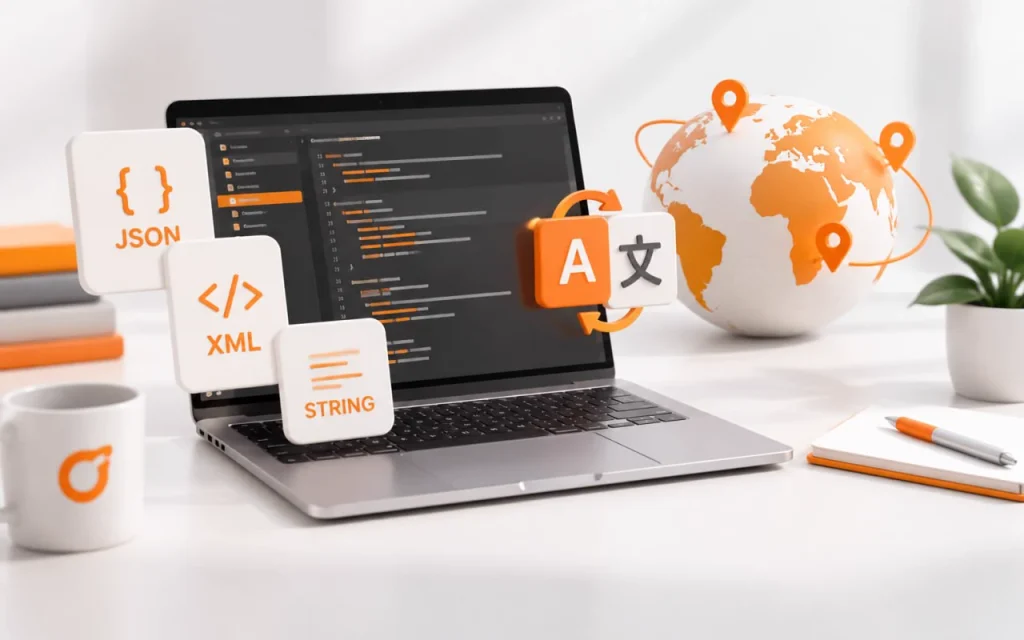
In modern products, localization can be stored in dozens of formats. The most common are JSON, XML, .strings, XLIFF, PO, YAML, RESX, Properties, ARB and other resource structures.
The format is not as important as the principle of how to work with it: you need to clearly separate the text the user sees from the file’s technical part.
In JSON, this might look like this:
{
‘login’: ‘Sign in’,
‘logout’: ‘Sign out’,
“welcome_message”: ‘Welcome, {name}!’
}
After translation:
{
‘login’: ‘Log in’,
‘logout’: ‘Log out’,
“welcome_message”: ‘Welcome, {name}!’
}
The keys remain unchanged. The structure is not rearranged. {name} remains in place.
In XML, the logic is similar:
<string name="save_button">Save</string>Only the value is translated:
<string name="save_button">Save</string>For iOS .strings files:
‘settings_title’ = ‘Settings’;Translation:
“settings_title” = ‘Settings’;In practice, the difficulty often lies not in the format’s syntax itself, but in the fact that URLs, system parameters, codes, API names, identifiers, or technical values may be stored alongside the text and should not be included in the translation at all.
For example:
{
‘payment_error’: ‘Payment failed’,
‘support_url’: ‘https://example.com/help’,
“api_status”: ‘payment_pending’
}
Here, only ‘Payment failed’ is subject to translation. The URL and ‘payment_pending’ may be internal values. If a translator works without guidelines, they are left to guess for themselves what to change and what not to.
That is precisely why, before starting a project, it is worth setting up filters and segmentation rules: which fields are imported as translatable, which remain locked, which are shown only as a reference, and which do not appear in the working environment at all.
This is much closer to an engineering approach than to the usual ‘open the file and translate the text’.
Placeholders, variables and tags — small elements with big consequences
The most dangerous mistakes in IT localization sometimes seem very minor.
In the line:
Hello, {user_name}! You have {count} new messages.A translator might convey the meaning perfectly, but accidentally write {username} instead of {user_name}. A person would hardly notice the difference. The system will.
The same applies to %s, %d, %1$s, {{variable}}, ${value} and other syntactic constructs that may be used in various frameworks.
HTML presents a whole other level of complexity:
Click <strong>Continue</strong> to proceed.Here, it is important not just to translate ‘Continue’, but to preserve the correct tag structure.
In more complex products, ICU MessageFormat and pluralization may be used:
{count, plural,
one {# message}
other {# messages}
}
Here, simply knowing the language is no longer enough. You need to understand how the format works and which forms are required for a specific locale. For example, Ukrainian has a more complex plural system than English, so mechanically copying the two forms ‘one’ and ‘other’ may not be sufficient, depending on how the product implements plural rules.
It is precisely these nuances that clearly demonstrate why localization files should be processed in a CAT/TMS environment rather than in a standard text editor. There, placeholders can be protected, tags can be controlled, and inconsistencies can be detected automatically before the file is returned to the developers.
What should happen between receiving the file and the final localization?
Mature localization begins not with translation, but with analysis.
First, you need to understand the structure of the resource: which fields are translated, which values are placeholders, what constructs the product uses, and whether there is HTML, Markdown, ICU, placeholders, plural forms, character limits, or other restrictions.
Next, it is worth checking whether any approved translations already exist. If the product has already been localized, starting from scratch is a bad idea. Previous content can be used as a translation memory, and key terms can be transferred to a glossary.
After importing, the translator works with segments within the CAT/TMS environment. It is important that they can see not only the source text but also the available context: the key, comments, previous translations, terminology hints and, where possible, a screenshot.
Once the translation is complete, the QA process begins. Placeholders, tags, numbers, punctuation, untranslated segments, consistency, terminology and other parameters are checked. After this, the file is exported back into the required format.
And only then should it be integrated into a test build or staging environment for final testing within the interface.
It is precisely this final stage that often reveals issues not visible in the file.
Why screenshots and staging are sometimes more important than the file itself
Localization files are excellent at conveying structure, but very poor at conveying visual context.
For example, the string:
Apply
Could mean ‘Apply’, ‘Submit an application’, ‘Use’ or ‘Apply’.
If it’s a button in a filter, it’s most likely ‘Apply’.
If it’s a job application form, it’s ‘Apply’.
If it’s a promo code, it could be ‘Use’.
Without a screenshot, the translator sees only the word. With a screenshot, the situation becomes clear in a matter of seconds.
It’s a similar story with short CTAs:
Next, Continue, Done, Back, Skip.
In different scenarios, they may require different styles. For example, in onboarding, ‘Next’ is often naturally translated as ‘Next’, whilst in a more complex wizard flow, it’s sometimes better to use a specific action rather than an abstract button.
Staging or demo access is also useful because it allows you to see the product from a user’s perspective. The translator can then understand which terms are used across several modules, which elements are function names, and which are everyday words.
This is particularly important for B2B SaaS, ERP, CRM, fintech, and professional platforms, as the interface often contains specialized terminology that cannot be adequately translated with a dictionary alone.
Terminology as part of product design
Terminology is sometimes perceived as purely a translation issue. In reality, it is an element of the UX interface.
If a feature is called ‘Workspace’, the user should see the same term everywhere: in the menu, documentation, onboarding, emails, and the help center. If it’s ‘Робочий простір’ in one place, ‘Робоча область’ in another, and ‘Workspace’ elsewhere, the product begins to look less cohesive.
That is precisely why a glossary should be created even before a large-scale translation project begins.
It can contain not only translations but also notes:
Workspace — ‘Robochyi prostir’ — do not use ‘Robochaya oblas’
Seat — user seat — billing term
Pro Plan — do not translate
Member — ‘Uchastnik’ — not ‘Chlen’
These are minor rules, but they are precisely what maintain consistency across tens of thousands of lines.
Translation memory serves a different purpose — it stores segments that have already been translated. If a phrase reappears in the next release, the translator sees the previous version and does not create a new one unless necessary.
As a result, the localization build-up accumulates a history.
This is very important for long-term products, because a year after launch, no one remembers why a particular term was translated in a certain way. But in the TM and glossary, that decision remains recorded.
Continuous localization: how to avoid turning every release into a new translation project
If a product is updated frequently, localization should not have to start from scratch after every sprint.
Let’s say the product has 25,000 lines. The team has added a new feature that introduced 180 new segments and modified a further 70. The actual workload is 250 lines, not all 25,000.
This is precisely what continuous localization is based on.
New and modified segments are regularly fed into the translation workflow, whilst those already approved are reused. This can be done via manual export once per sprint, via a TMS, an API, or integration with the repository — the specific approach depends on the product’s architecture.
The main advantage isn’t just speed.
This process makes localization predictable. The product manager knows exactly how much new content has been added. The translation team can see the changes. The development team doesn’t waste time reworking old strings.
What’s more, changes become manageable.
If the old text was:
Your payment was declined.
and the new one:
Your payment was declined. Try another card.
The CAT tool will show a high-percentage fuzzy match. The translator does not need to recreate the entire segment from scratch — they can see what has changed and update only the necessary part.
For a product with 10–15 languages, this difference is already significant.
QA: translations need to be checked not only in the file, but also within the product itself
One common mistake is to assume that if the file has been successfully imported and all segments have been translated, localization is complete.
In reality, entirely different issues may arise after integration.
The simplest one is text length.
English:
Settings
is short.
Ukrainian:
Налаштування
is longer.
German UI strings often become even longer. In a mobile app, this can lead to text being cut off, buttons being repositioned, or layout issues.
Another issue is word order. A segment may look fine in a file, but once a variable is substituted, the phrase sounds unnatural.
For example:
{name} added you to {workspace}In different languages, the order of the parts may need to be rearranged. If the system does not technically allow this, the problem no longer concerns just the translator, but also the design of the localization strings.
That is why linguistic QA in a test build is not a mere formality.
During such a check, the following are assessed: truncation, line breaks, placeholders, context, consistency, typography, date formats, currency formats, pluralization, and the overall perception of the interface.
Automated QA tools detect structural errors. A human finds what looks odd to them specifically.
Both levels are necessary.
Localization is not just about the UI
Another often-overlooked point is that users experience a product through more than just the app’s interface.
They read onboarding emails, visit the help center, receive push notifications, browse the FAQs, read release notes, and view the app’s page on the App Store or Google Play.
If the UI is translated in one style, the documentation in another, and the marketing materials in a third, the sense of a cohesive product is lost.
Therefore, for mature IT projects, it makes sense to treat localization as a single linguistic system.
Terminology must be consistent across the UI, documentation and support content. The style guide should explain how to address the user. Feature names must be consistent across all channels.
This is no longer just translation.
It is linguistic product management on a small scale.
How STATUS KO integrates into the IT team’s process
For us, the right way to start a localization project isn’t simply to say ‘send the text in Word’.
It’s far more useful to receive an example of an actual resource and get a brief understanding of how your process works: where localisations are stored, how often releases are issued, how many languages are supported, and whether there are any previous translations, a glossary, screenshots, design mock-ups or a staging environment.
After that, we can determine the optimal workflow.
For one project, it may be sufficient to process JSON files regularly. For another, it is better to work via XLIFF. A third may require TMS integration and the regular exchange of new segments. There is no one-size-fits-all approach, which is precisely why we do not attempt to fit all IT projects into a single template.
STATUS KO can be integrated with the localization of user interfaces, SaaS platforms, mobile apps, web services, help centers, documentation, onboarding, email communications, release notes, and other product content.
The greatest benefits are realized when the collaboration becomes long-term. After several releases, a translation memory has already been built up, the glossary has been agreed upon, the file structure is understood, and the specific team’s requirements are known. With each subsequent cycle, localization requires less manual coordination and scales more effectively with the product.
If your product already uses JSON, XML, .strings, XLIFF, or other localization resources, there is no need to convert them into Word beforehand or manually prepare tables for the translator. Please send us a STATUS REPORT, a sample file, and a brief description of your current workflow. We will be able to assess the structure, identify which elements require translation, and propose a process that will be convenient not only for the translators but, above all, for your development team.